How to Build an Impressive LinkedIn Profile as a Student
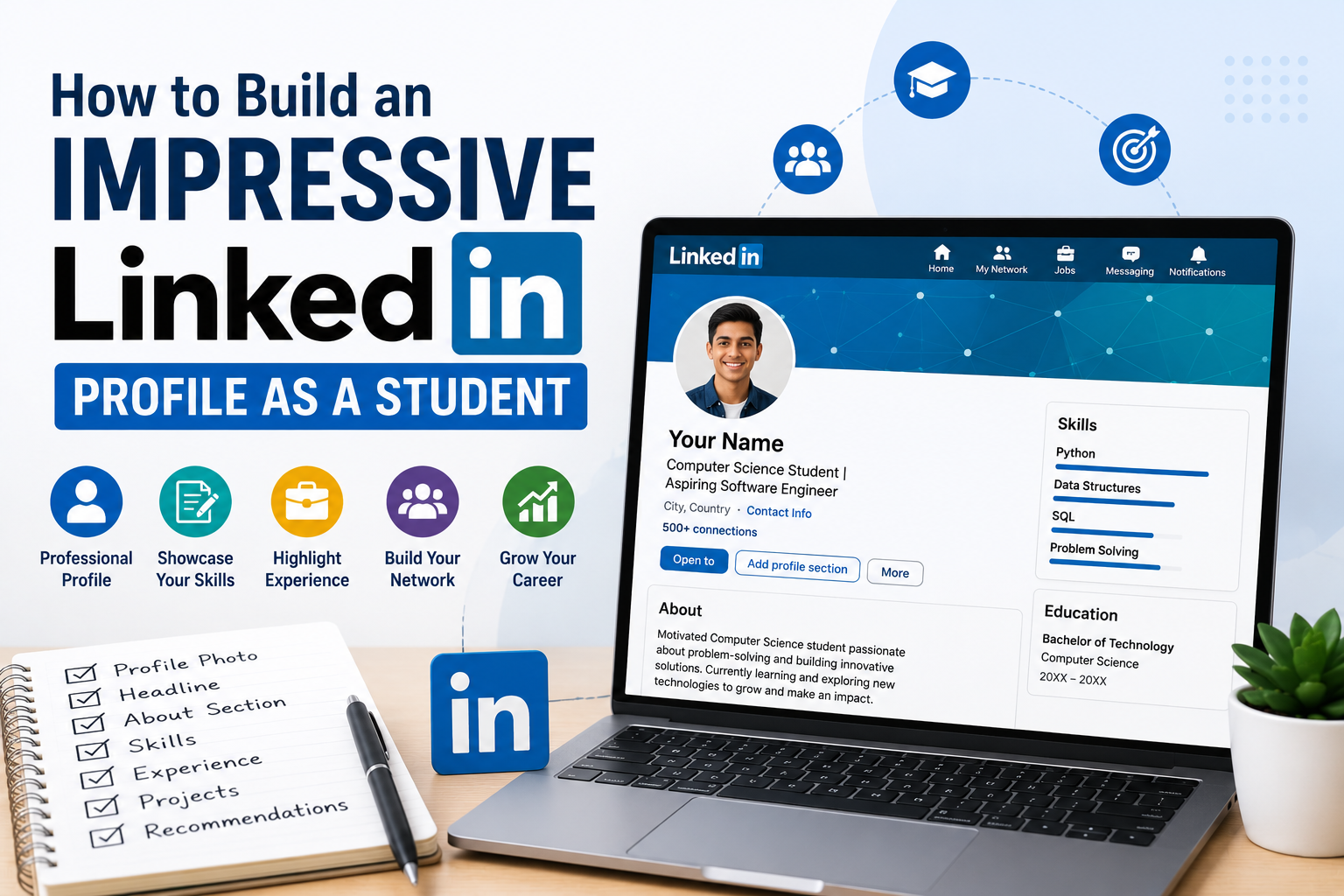
How to Build an Impressive LinkedIn Profile as a Student
When students think about preparing for study abroad, they usually focus on:
- CGPA
- IELTS or TOEFL
- Statement of Purpose (SOP)
- University applications
However, one powerful tool is often overlooked:
LinkedIn.
Today, LinkedIn is much more than a job-search platform. It is a professional networking site where students can showcase their skills, achievements, projects, certifications, and career aspirations.
A well-crafted LinkedIn profile can help you:
- Build a professional online presence
- Connect with industry experts
- Discover internships and job opportunities
- Learn from professionals around the world
- Strengthen your overall student profile
Let's explore how to create a LinkedIn profile that leaves a great first impression.
Why Should Students Have a LinkedIn Profile?
Many students believe LinkedIn is only for experienced professionals.
That's not true.
Even first-year students can benefit by:
- Building a professional identity early
- Sharing academic achievements
- Networking with alumni and recruiters
- Following companies and universities
- Staying updated with industry trends
The earlier you start, the stronger your profile becomes over time.
Step 1: Use a Professional Profile Photo
Your profile photo is the first thing people notice.
Choose a photo that is:
- Clear and high-quality
- Well-lit
- Friendly and professional
- Wearing neat, appropriate clothing
- Looking directly at the camera
Avoid:
- Selfies
- Group photos
- Heavy filters
- Casual party pictures
A professional photo creates a positive first impression.
Step 2: Write a Strong Headline
Your headline appears directly below your name.
Instead of writing only:
"Student"
Try something more descriptive, such as:
- Computer Science Student | Aspiring Data Scientist
- Mechanical Engineering Student | Future Robotics Engineer
- Business Student | Interested in Marketing & Analytics
A clear headline tells visitors who you are and what you're passionate about.
Step 3: Create an Engaging About Section
Your About section should briefly introduce yourself.
Include:
- Your current education
- Areas of interest
- Skills
- Career goals
- What you're currently learning
Keep it concise and authentic.
Example:
"I am a Computer Science student passionate about Artificial Intelligence and Data Science. I enjoy solving real-world problems through technology, participating in hackathons, and continuously learning new programming skills. My goal is to build innovative AI solutions that create meaningful impact."
Step 4: Add Your Education
Include details such as:
- University or college name
- Degree
- Specialization
- Graduation year
You can also add:
- Relevant coursework
- Academic achievements
- Student organizations
This helps visitors understand your academic background.
Step 5: Highlight Your Skills
LinkedIn allows you to list your key skills.
Examples include:
Technical Skills
- Python
- Java
- SQL
- AutoCAD
- MATLAB
- Excel
Soft Skills
- Communication
- Leadership
- Teamwork
- Problem-solving
- Time Management
Choose skills that genuinely reflect your abilities.
Step 6: Showcase Projects
Projects are one of the strongest sections of a student profile.
Include:
- Academic projects
- Personal projects
- Research work
- Hackathon projects
- Portfolio links
Briefly explain:
- The problem you solved
- Your role
- Technologies used
- Outcome
Projects demonstrate practical knowledge beyond classroom learning.
Step 7: Add Internships and Work Experience
If you've completed internships, include:
- Company name
- Role
- Duration
- Key responsibilities
- Skills gained
Even virtual internships or freelance projects can strengthen your profile.
Step 8: Include Certifications
Online certifications show your commitment to continuous learning.
Examples include:
- Google Certifications
- Microsoft Learn
- AWS Certifications
- Coursera Courses
- LinkedIn Learning
- Udemy
- edX
List certifications that are relevant to your field of interest.
Step 9: Request Recommendations
Recommendations from professors, mentors, or internship supervisors add credibility to your profile.
A genuine recommendation highlights:
- Work ethic
- Technical skills
- Communication
- Professional attitude
Even one or two quality recommendations can make a difference.
Step 10: Build Your Network
Networking is one of LinkedIn's greatest strengths.
Connect with:
- Professors
- Alumni
- Recruiters
- Industry professionals
- University representatives
- Fellow students
When sending connection requests, include a short, polite message whenever possible.
Step 11: Stay Active
A profile becomes stronger when you're active.
You can:
- Share project updates
- Celebrate achievements
- Post internship experiences
- Comment on industry news
- Engage with educational content
Consistency helps build visibility.
Common LinkedIn Mistakes Students Make
Incomplete Profiles
Leaving important sections blank reduces your profile's impact.
Unprofessional Photos
Your profile should reflect professionalism.
Copying Someone Else's About Section
Your profile should represent your own journey and aspirations.
Listing Too Many Irrelevant Skills
Focus on quality rather than quantity.
Never Updating the Profile
Keep your profile current by adding new achievements, projects, certifications, and experiences.
Tips to Make Your Profile Stand Out
✔ Use a professional banner image.
✔ Customize your LinkedIn URL.
✔ Add measurable achievements whenever possible.
✔ Showcase projects with links or images.
✔ Keep your profile free of spelling and grammar mistakes.
✔ Update your profile regularly.
Does LinkedIn Help with Study Abroad?
While universities generally do not require a LinkedIn profile for admission, it can still be valuable.
A strong profile can help you:
- Connect with university alumni
- Learn about courses and campuses
- Find internship opportunities
- Build your professional network before graduation
It also prepares you for future job searches after completing your studies.
A Quick LinkedIn Checklist
Before sharing your profile, make sure you have:
✅ Professional profile photo
✅ Clear headline
✅ Strong About section
✅ Education details
✅ Skills listed
✅ Projects added
✅ Internships included
✅ Certifications uploaded
✅ Professional connections
✅ Regular activity
A complete profile creates a stronger impression than an unfinished one.
Final Conclusion
Your LinkedIn profile is your digital professional identity.
Whether you're applying to universities, searching for internships, or preparing for your future career, a well-maintained profile can open valuable opportunities.
Start building your LinkedIn presence today by highlighting your strengths, sharing your achievements, and connecting with professionals in your field.
Remember:
Your LinkedIn profile isn't just an online resume—it's a platform to showcase your potential, build relationships, and create opportunities for your future.
Verified by Edulx Germany Specialists
Have questions about your profile or APS verification? Book a free 1-on-1 session with our Pune counsellors.